Which devices and versions are supported?
Since we periodically release updates and improvements to balenaOS (the host OS running on all balena devices), we encourage you to keep your devices up to date. We offer self-service host OS updates between 2.x versions and from 1.x to 2.x versions. All 2.x devices will default to delta-based updates if available, thus reducing the size of the update sent over the network.
Note:BalenaOS 1.x to 2.x updates limit the amount of data you can have in your application’s /data folder to about 170MB (compressed). If you have more data, the update will fail and your device won’t be modified.
production and development balenaOS variants.
For device types and balenaOS versions that are not yet supported, please contact us on the forums. We are continuously expanding the range of versions and types that can be updated.
Running an update
To run an update for an individual device, navigate to that device’s Settings tab, go to the section OS version, and select the version of balenaOS you would like to update to. After making your selection, click the Save button.
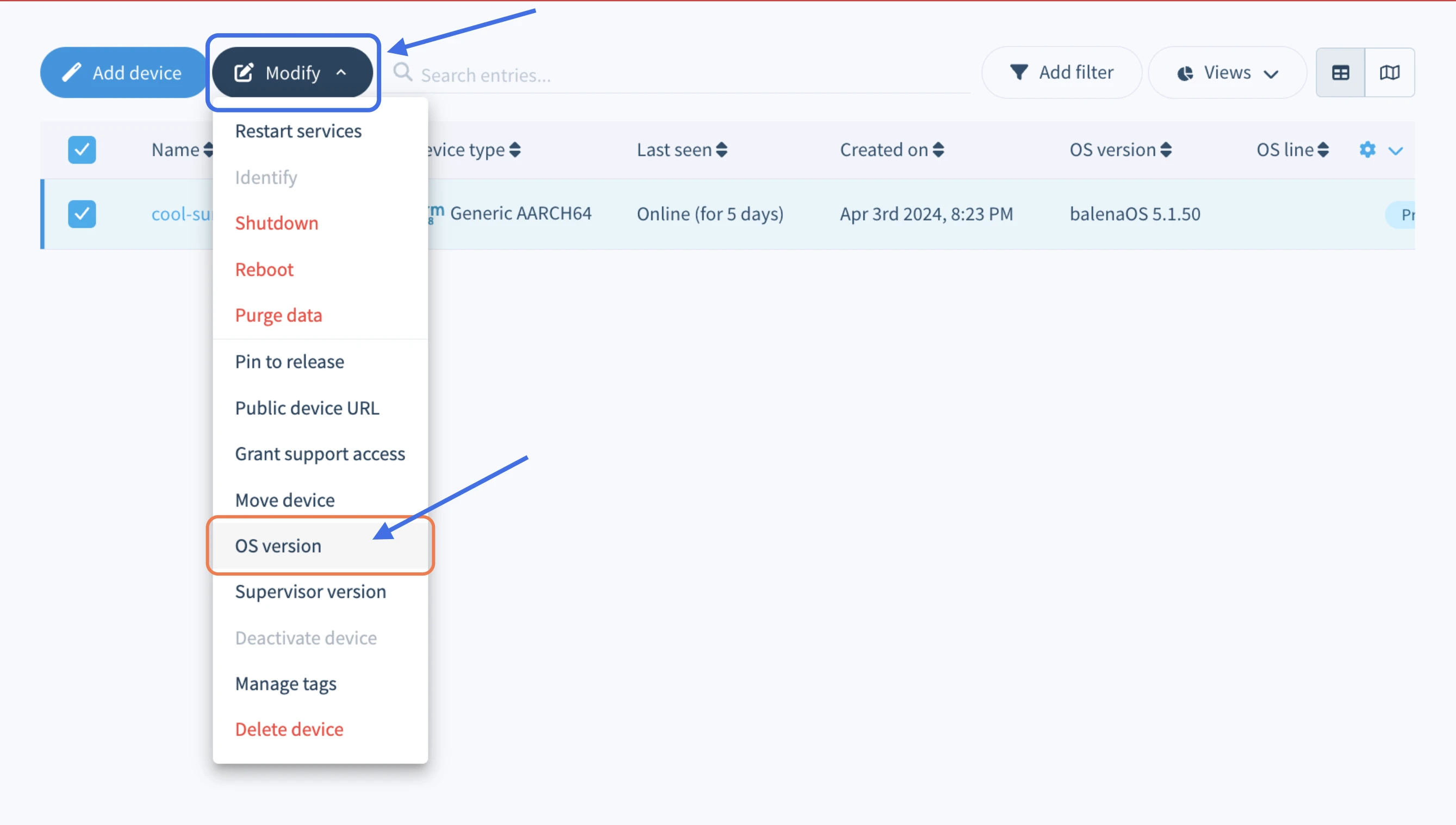
Updates can also be made to multiple devices in the same fleet. From the device list, click the checkbox to the left of any online devices you wish to update. Then use the Modify dropdown to choose the OS version option to set and trigger an update on all selected devices.
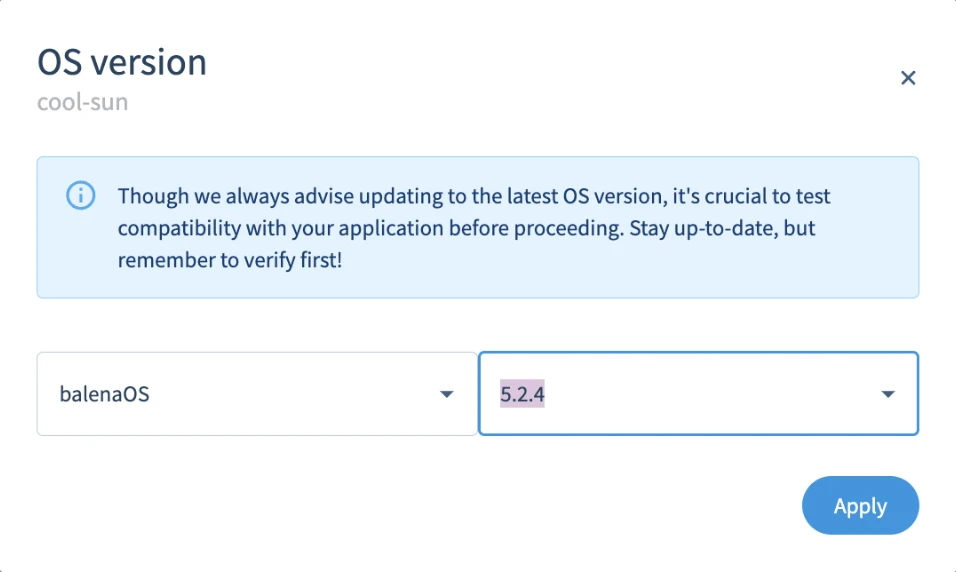
From the dialog box that opens, select the OS version you would like to update to and click the Apply button to trigger the OS update.
After an update begins, the device summary page will show a progress bar that marks the steps completed for the update. Some steps that take longer, such as the device downloading the new OS image, may make the progress bar appear stuck. This doesn’t mean anything has gone wrong with your update. We are working on making the update process more informative.
Update time can vary significantly, depending on the speed of your network, the speed of your SD card (or other storage medium), and your device performance.
If your balenaOS update fails for any reason, the device should still be recoverable. For devices running balenaOS 2.x, the user application should still be running normally, and the reasons for failure can be examined through the update logs at /mnt/data/balenahup/ (or potentially the legacy location /mnt/data/resinhup/). If you have any issues, please contact us on the troubleshooting section of the forums.
Update locks
Update locks is a mechanism that allows applications to enter critical sections of code and prevent updates that would interrupt the application from running. Update locks can also be used to delay the reboot that applies a hostOS update operation until the application exits the critical section by removing the update locks. HostOS update operations require the use of exclusive locks and will not respect shared locks. Overriding update locks will ignore existing locks and allow a hostOS update process to proceed with a reboot.
Check out our update process to understand how the process goes through each step.